Requests arrive everywhere
Brands, distributors, and agencies each have their own way of asking for floor time.
Built inside Dragon Engagement NetworkTM
Keep retail tasting requests, approvals, and store calendars in one workflow. Give distributors, brands, and tasting agencies one place to request time on the floor while your store team stays in control.
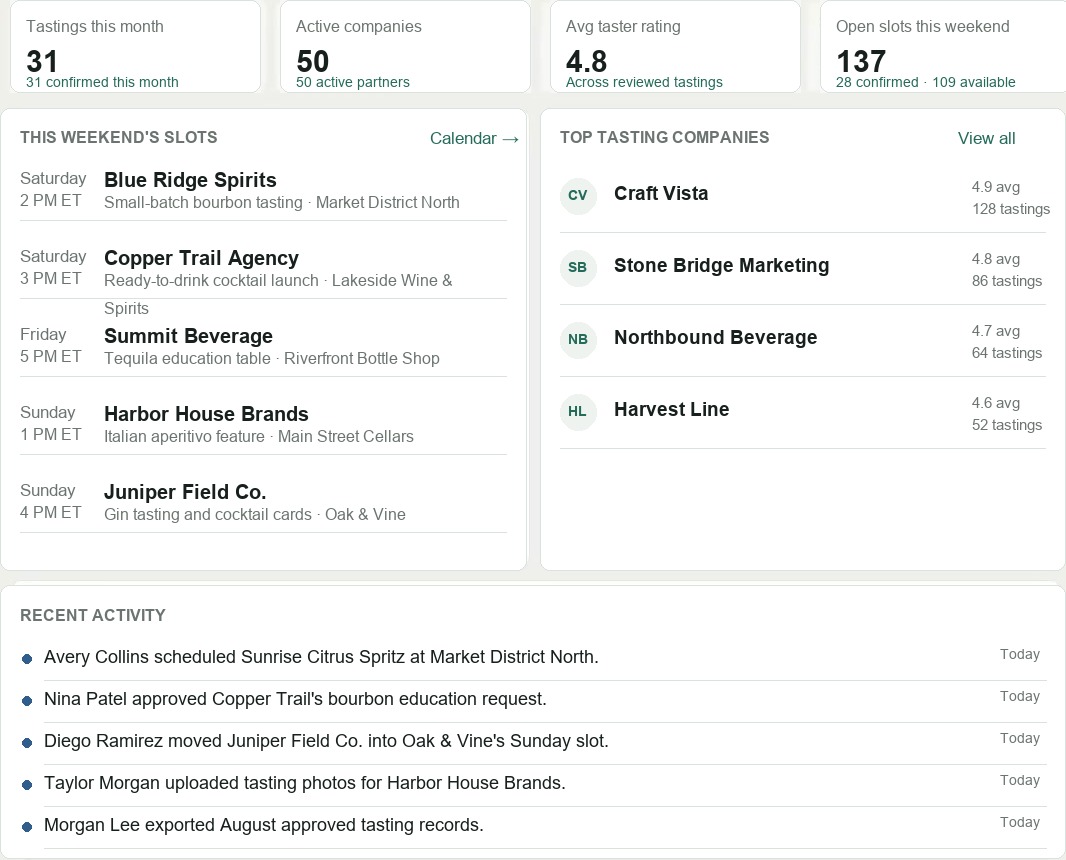
The tasting calendar gets noisy fast
Brands, distributors, and agencies each have their own way of asking for floor time.
Managers need to know what is pending, what is confirmed, and what still needs staffing.
Without one record, it is difficult to see who showed up, what ran, and what needs follow-up.
What Flight does
Flight gives retail stores the center seat. Vendors can request tastings, but stores stay in control of the approval process, calendar availability, and communication.
Stores can share a controlled request form with brands, reps, and agencies without giving them a scheduler account.
Choose who can approve or deny tasting requests, then keep those decisions tied to each request record.
Drag approved requests into available store slots, or use auto-assign to stage a best-fit schedule for review.
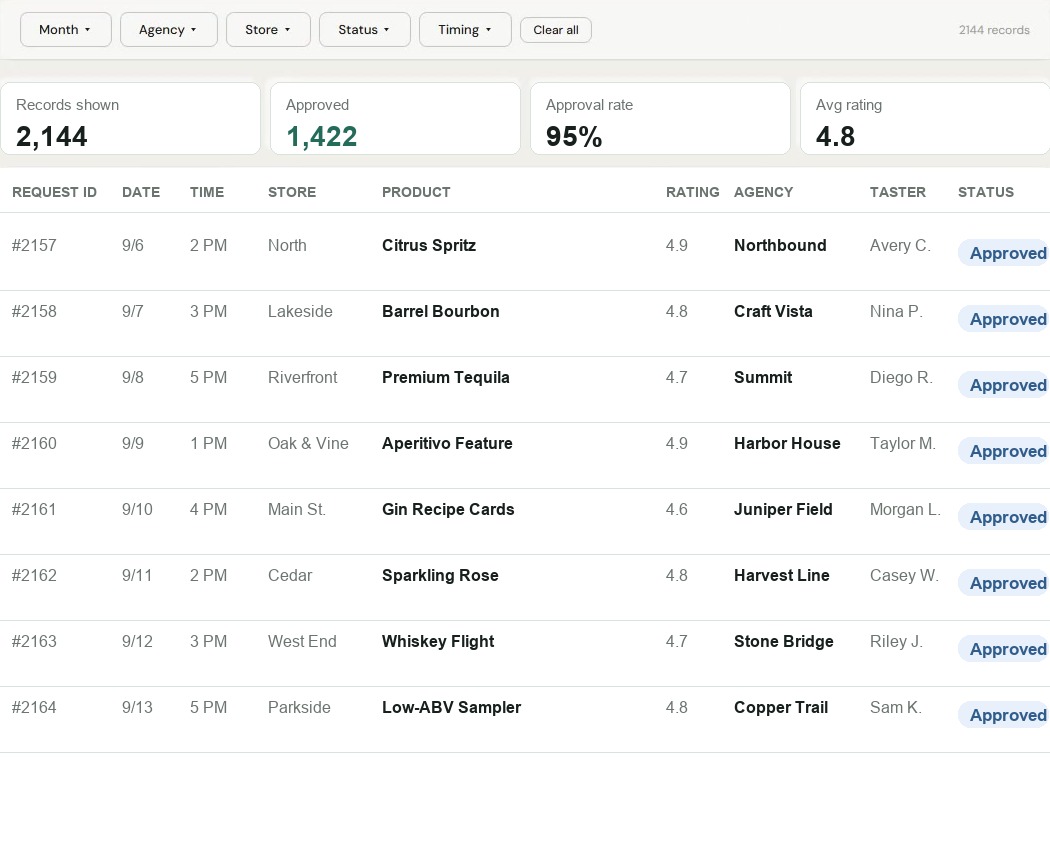
Filter tasting records by month, agency, store, status, and timing, then export the data when teams need it.
Automation support
Flight helps stores keep requests moving without asking managers to rebuild the same follow-up process for every brand, distributor, or agency.
Keep incoming tasting details together so the store team can approve, deny, or ask for changes from one queue.
Move approved requests toward available slots by store, date, and timing before the final schedule is applied.
Preserve the request history, status, taster details, and activity data teams need when they review what ran.
Automations should remove the repetitive coordination work while keeping the store in control of the final decision.
Product preview
Let Flight suggest a schedule for you. Match requests by brand and product, then prevent overlapping tastings at the same store. Select Run to stage the assignments. Review the suggested schedule, and apply it only when you're ready.
How it works
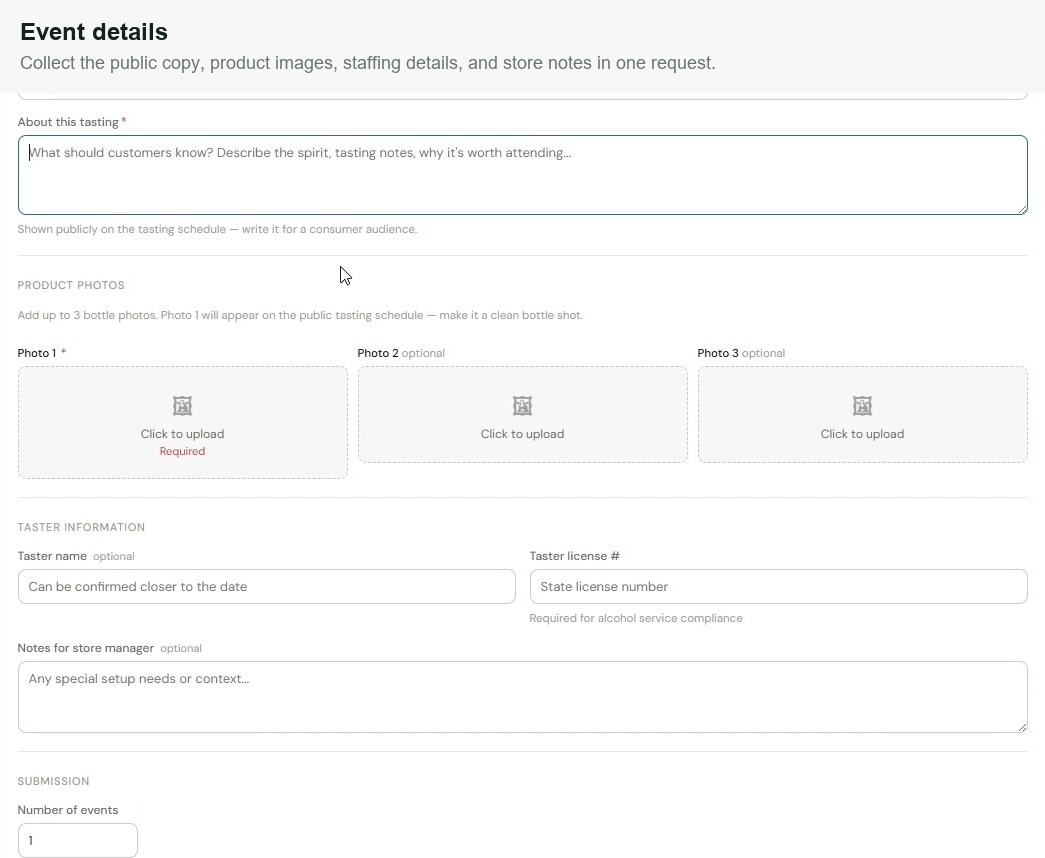
Brands, reps, and agencies enter the fields stores need: date range, preferred locations, product details, photos, taster info, and manager notes.
Approvers keep request decisions in Flight, while assignment teams move approved requests into available store slots.
Completed tastings can be reviewed and reported by agency, store, status, timing, approval rate, and exportable records.
Common questions
Flight is built with liquor stores in mind, but is not limited to them. Other retailers that host tastings can use the same request, approval, and scheduling workflow, whether they operate one store or multiple locations. Store teams stay in control while brands, distributors, and tasting agencies submit requests through the store's public link.
Yes. A store can share its public tasting request form with its partners. Requesters provide contact information, brand and product details, preferred dates and locations, product photos, and notes for the store manager. Taster details and license information can also be collected.
Yes. Stores can assign separate approval and assignment roles. For example, a merchandising team can approve or deny requests while a chain owner handles calendar assignments. The store controls who performs each step.
No. Auto-assignment stages a suggested schedule for review. Choose restrictions such as preventing the same brand and product from running concurrently at the same store, then review the proposed assignments before applying them. Teams can also drag approved requests into available slots.
Yes. A request can include multiple arrangements for different locations or scheduling preferences. Each arrangement can have its own event quantity and day or time preferences. Store teams can filter the calendar by location, region, or agency.
Store managers can review the tasting and the taster. Reports bring together tasting records, approval totals, and average ratings, with filters for month, agency, store, status, timing, and category. Teams can export records or print reports as a PDF.
Bring Flight to your store
Tell us a little about your store and tasting volume. We will follow up with a practical look at how Flight could fit your current process.
Schedule on our calendar